Note: this is ONLY an upgrade from nukeWYSIWYG™ 3.6.3. If not upgrading from nukeWYSIWYG™ 3.6.3, download the full nukeWYSIWYG™ 3.6.3.1 instead. What is included in this minor upgrade? - Added support for CKeditor skins
- Added multiple language support
- Improved editor sizing
 A A
B
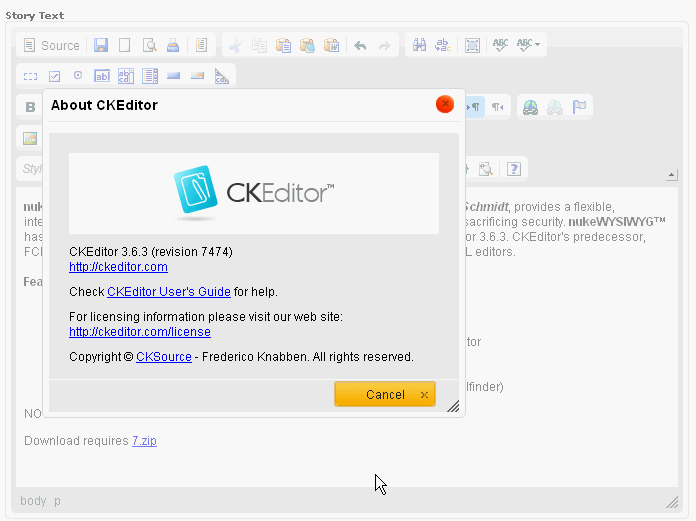
C nukeWYSIWYG™ 3.6.3.1, featuring CKEditor and elFinder integration by Matthew Schmidt, provides a flexible, integrated "what-you-see-is-what-you-get" HTML editor for RavenNuke™ without sacrificing security. nukeWYSIWYG™ has designed to support multiple HTML editors, but is only packaged with CKEditor 3.6.3. CKEditor's predecessor, FCKeditor, was selected after careful evaluation and comparison of multiple HTML editors.
Features- On / off switch which can be used at the site or module level
- Automatically disabled when accessed by crawlers to save bandwidth
- The latest version of CKEditor (3.6.3) See http://ckeditor.com/what-is-ckeditor
- Multiple toolbar configurations for functionality, performance, & security
- Designed so that settings can be changed on the fly
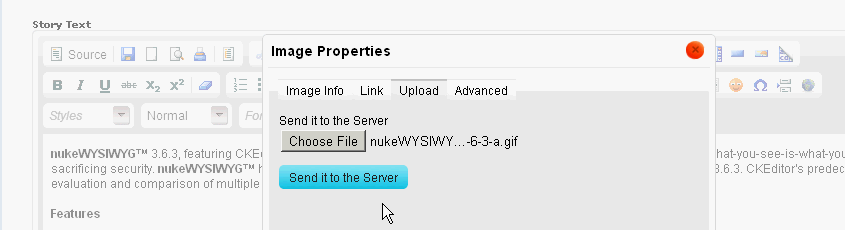
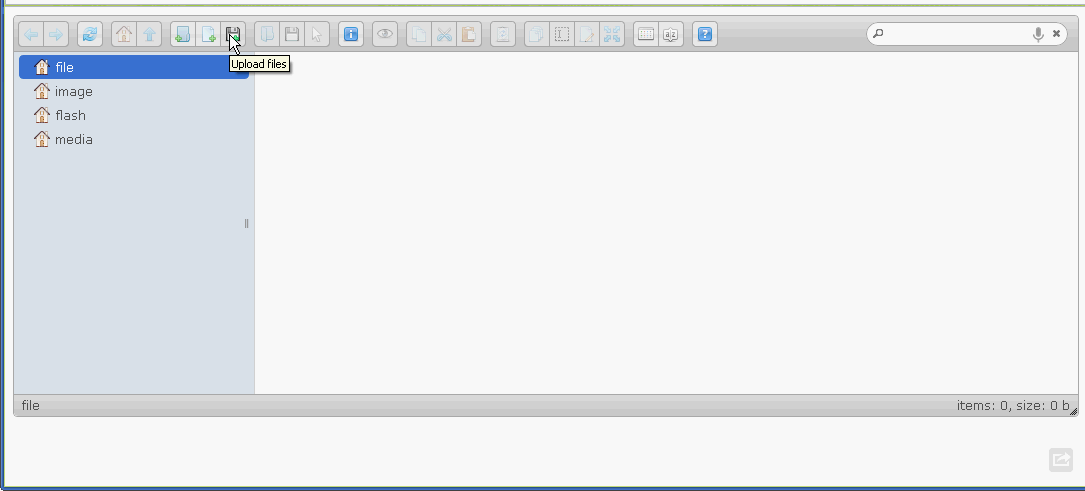
- elFinder 2.0 integration for file management and uploads (http://elrte.org/elfinder)
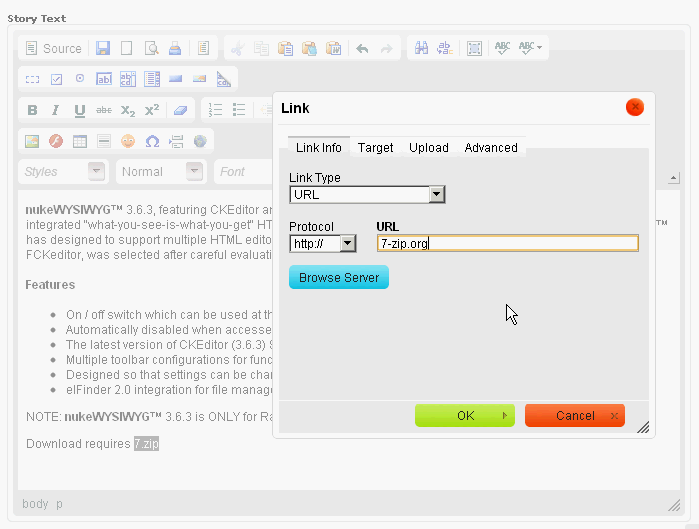
NOTE: nukeWYSIWYG™ 3.6.3.1 is ONLY for RavenNuke™ 2.5. Download requires 7.zip
A
B
C nukeWYSIWYG™ 3.6.3, featuring CKEditor and elFinder integration by Matthew Schmidt, provides a flexible, integrated "what-you-see-is-what-you-get" HTML editor for RavenNuke™ without sacrificing security. nukeWYSIWYG™ has designed to support multiple HTML editors, but is only packaged with CKEditor 3.6.3. CKEditor's predecessor, FCKeditor, was selected after careful evaluation and comparison of multiple HTML editors.
Features- On / off switch which can be used at the site or module level
- Automatically disabled when accessed by crawlers to save bandwidth
- The latest version of CKEditor (3.6.3) See http://ckeditor.com/what-is-ckeditor
- Multiple toolbar configurations for functionality, performance, & security
- Designed so that settings can be changed on the fly
- elFinder 2.0 integration for file management and uploads (http://elrte.org/elfinder)
NOTE: nukeWYSIWYG™ 3.6.3 is ONLY for RavenNuke™ 2.5. Download requires 7.zip
Block user registration by known spammers. Installation requires simple file modifications.
CAUTION: Overwriting jQuery and other plugins may impact other jQuery plugins.
nukeSPAM(tm) enables site using the RavenNuke(tm) content management system (CMS) to prevent user registration by known spammers. It features:
-
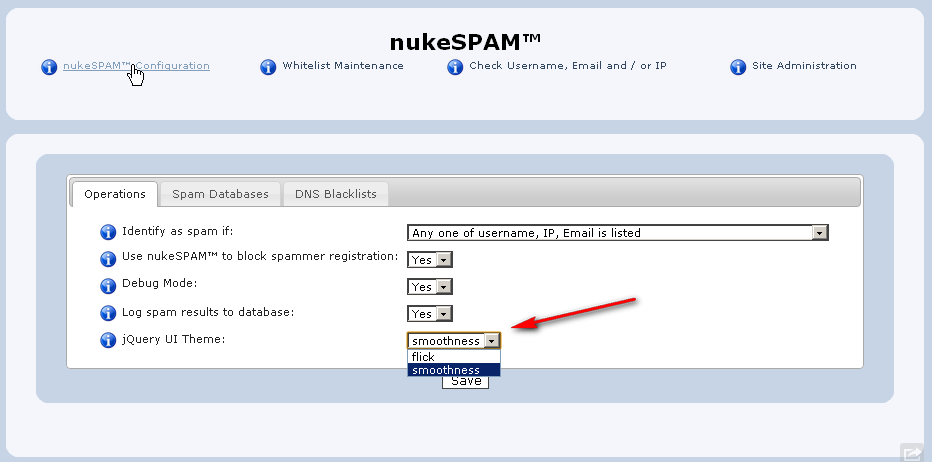
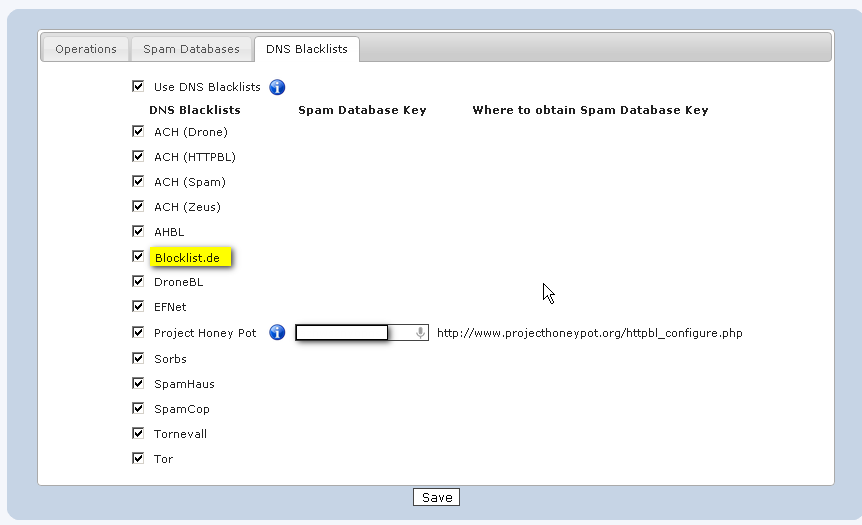
Configurable blocking via 3 public spam databases and 14 DNS blacklists
-
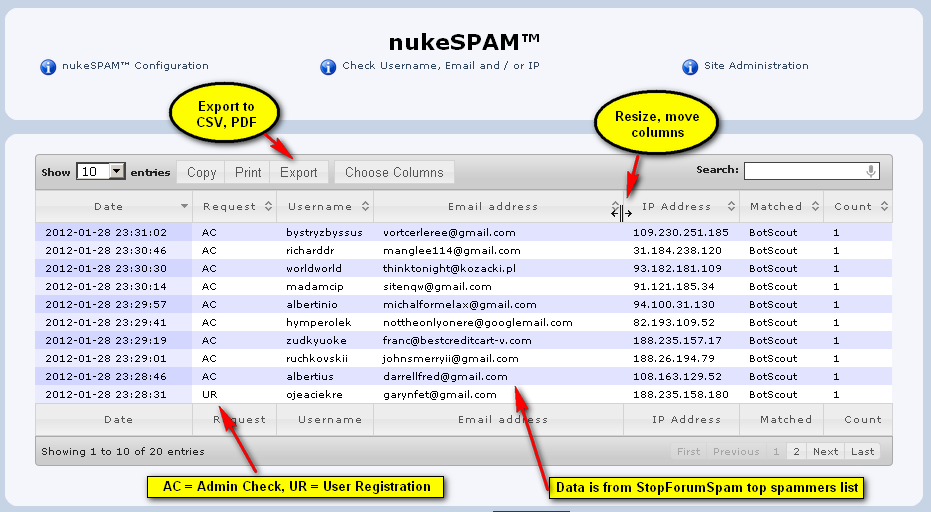
Advanced logging, reporting and false positive resolution
-
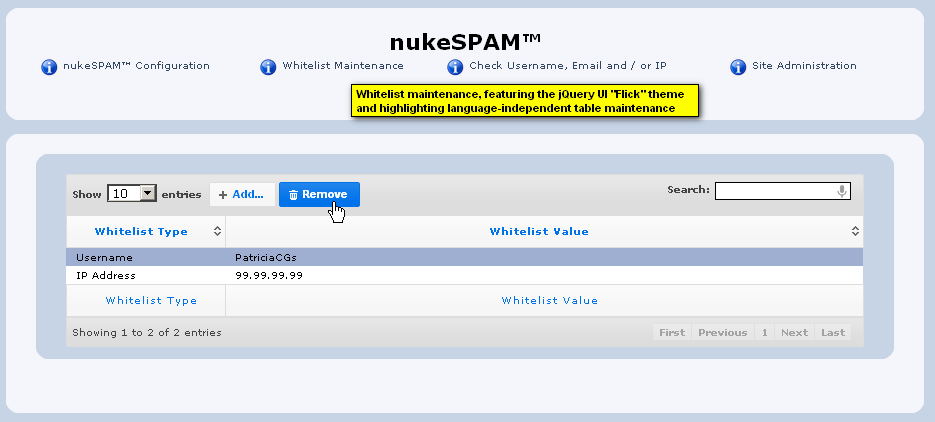
Advanced whitelist maintenance
-
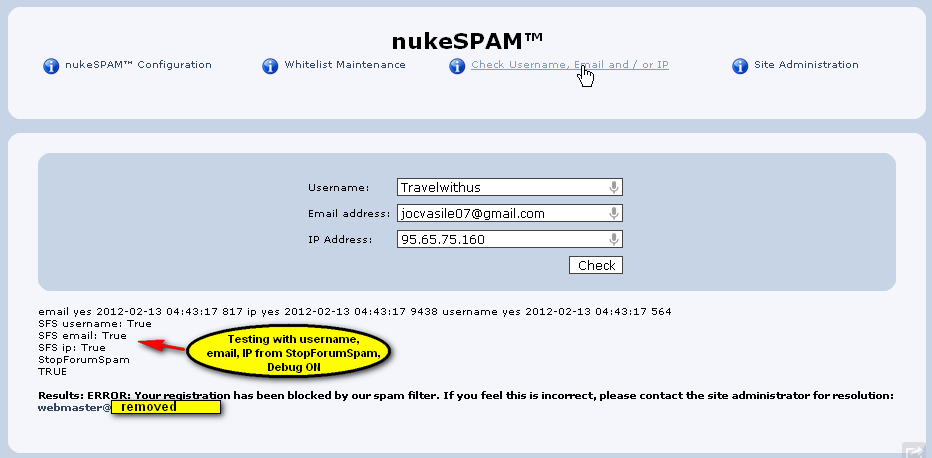
Administrator test function
Download requires 7-zip.
Version 1.0.1 includes:
-
(fix) Process variable StopForumSpam responses correctly
-
(fix) fSpamlist XML response wasn't properly received
-
(fix) XHTML compliance issue (selected="selected")
-
(enhance) enhanced security on MySQL responses if using latest version of RavenNuke (2.50.00+)
-
(enhance) changed the location of the call to nukeSPAM to not check nukeSPAM on blocked domains (requires changes to Your Account files)
Note to those who already installed version 1.0.0: Version 1.0.1 does not require database changes, but to get all benefits of this version, check the readme for instructions on modifications to Your Account files to prevent unnecessary checking against spam databases if the registrant's email domain is blocked.
Click the image below to view a set of screenshots of features (make sure to read the full article additional information!):
 A B C D E F A B C D E F
Block user registration by known spammers. Installation requires simple file modifications. CAUTION: Overwriting jQuery and other plugins may impact other jQuery plugins. nukeSPAM(tm) enables site using the RavenNuke(tm) content management system (CMS) to prevent user registration by known spammers. It features: - Configurable blocking via 3 public spam databases and 14 DNS blacklists
- Advanced logging, reporting and false positive resolution
- Advanced whitelist maintenance
- Administrator test function
Adds BBcode for:
- [php]...[/php] with syntax highlighting
- the ability to select all text within a code block
- a quote block and a PHP code block, and shows
only three lines of the above mentioned blocks or by selecting Expand will show all of the above blocks text and then selecting the Contract button will collapse the above to just three lines again unless there are only four lines when it will not contract.
This MOD also adds the following functions to your your posting body so that there are many options when a user wishes to reply or compose a new topic:
- A font type drop down box with the actual font displayed
- a font size drop down box with five selections from tiny to huge
- a font color drop down box with the actual color displayed and the text representation of that text color
Two rows of MS Office-looking icons that do the following:
- Full text justification
- right text justification
- center text justification
- left text justification
- Superscript and Subscript
- Bold, Italic, Underlined
- Strikethrough text
- gradient and fade text (IE only)
- paragraph left to right and right to left alignment
- Marquee that can go up, down, left or right (not compliant)
- Code, Quotes or PHP
- a web link
email link
- image
- flash
- video
- stream file
- Google video
- YouTube movie
- ordered or unordered lists
- horizontal line
- remove all BB Code (IE or a compatible browser
A simple change to the includes/nukeSEO/dh/dhDownloads.php to support NSN Group Downloads
Requires ColorBox jQuery script (not included) and recommended for usage with RavenNuke(tm) 2.4.0 and higher.
Note: this is ONLY an upgrade from nukeWYSIWYG™ 2.6.4. If not upgrading from nukeWYSIWYG™ 2.6.4, download the full nukeWYSIWYG™ 2.6.4.1 or the upgrade from 2.6.3. What is included in this minor upgrade? This issue should be addressed by admin authentication implemented in 2.6.4, but security changes should be applied when possible. 
 nukeSEO.com released nukeWYSIWYG™ 2.6.4 featuring FCKeditor. This update includes several important new and improved features: nukeSEO.com released nukeWYSIWYG™ 2.6.4 featuring FCKeditor. This update includes several important new and improved features:
- File manager requires Nuke admin authentication (identified by S Electric)
- FCKeditor 2.6.4 with new web-based spell checker
- Browser-specific and compliance fixes
Please note that the file manager has always validated uploads to prevent files that can be used to cause harm to a site (e.g. executable files like .js and .php, as well as scripts renamed to be images). Download requires 7-zip.
 | 
 Welcome to nukeSEO.com !